
storing files
clicking the store files link from the topmenu (called Upload by default) will bring you to the store files form
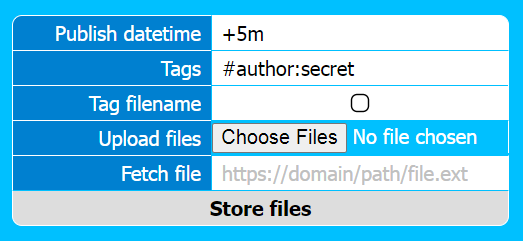
you can store files by uploading them or fetching them from a remote url
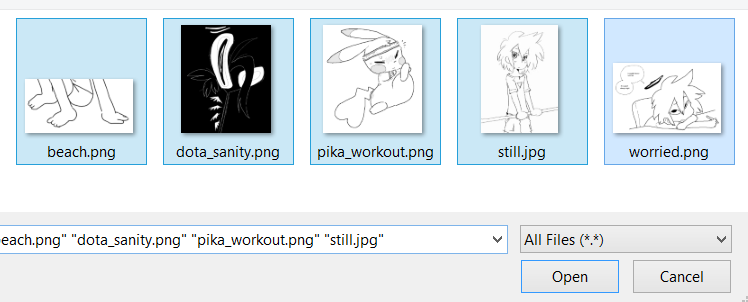
when uploading you can select many files at once (but be aware of your webserver's max upload and post limits)
there is currently no indicator for upload progress or thumbnail processing, but when all files have finished uploading and processing you'll be taken to a results page that will show the successfully uploaded files (or possibly errors)

publish time
you can set the publish time of files when storing them
the date fields in thalassa can parse several date formats correctly, but it's recommended to use Atom format (Y-m-d\TH:i:s\Z) e.g. 2006-01-07T13:53:10Z or a non-standard substring of Atom format e.g. 2006-01-07 or 2006-01
you can also set the configuration value default_publish_time_new_files in the configuration to have this field prepopulated for you (this is mostly useful for relative times as explained below)
leaving this field blank will set the publish time to the current time
you can postdate files so that they will only be searchable by admins and helpers until the publish time arrives
you can also backdate files if you're uploading older works and are setting accurate publish times
you can also set relative times in the format of a plus or minus followed by a number and then a unit indicator, e.g. +1m for one minute forward or -6d for 6 days backward
the default for this field is +5m which will set the publish time to 5 minutes in the future from the upload time
this allows you to add tags and look over files briefly before they are searchable by any visitors
like files tagged #hidden, files with future publish dates can still have their view pages and files accessed directly, so they can be shared but not found through searching
it's not necessary to add tags when storing files, but if you're storing many files that have the same tags you can enter them here
you can also set the configuration value default_tags_new files in the site configuration to have this field prepopulated for you
for artists using thalassa as a gallery and uploading mostly their own work, it's useful to set this value to #author:{your name or handle} so that it's not necessary to enter it every time
another common tag to use by default is #hidden so that new files remain unsearchable by visitors indefinitely, allowing you to add tags and look over files until you're ready to remove the #hidden tag to make them appear in the search
you can enter multiple tags (separated by #)